This is a new topic in 12.03.
This is a new topic in 12.04.
Content highlighted in yellow is new in 12.03.
Content highlighted in blue is new in 12.04.
In the SC Controller Users section, you can see a list of every user in your company with access to the SC Controller application.
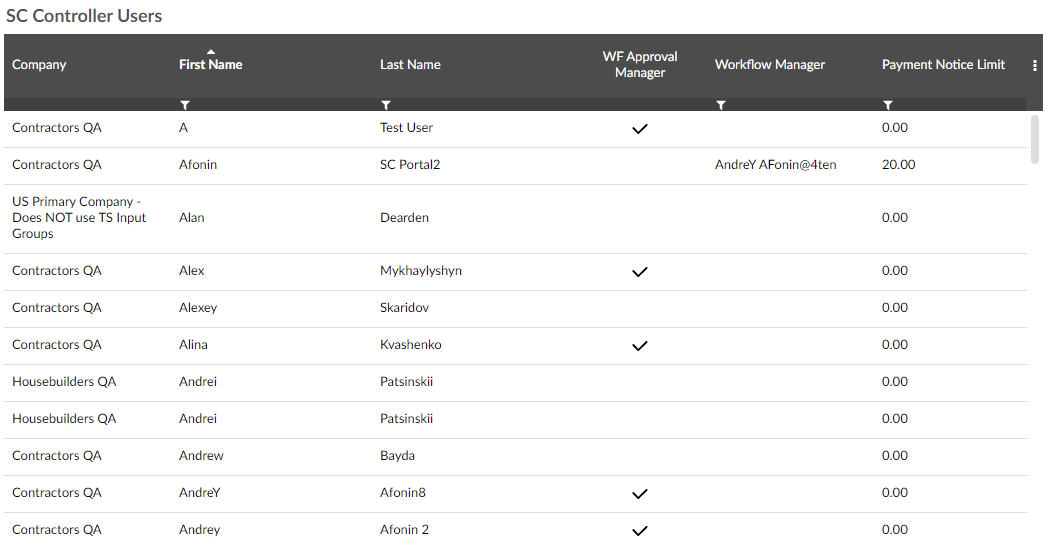
If the user is authorised to manage workflows, there will be a tick  in the WF Approval Manager column. If they have a workflow manager assigned to them, the name of their manager will be in the Workflow Manager column. Shown in the Payment Notice Limit column is the maximum value of payment notice or pay less notice that user is authorised to approve.
To modify a user:
-
Right-click the user, or left-click the user and click the menu icon
 , then click Manage User. This opens the SC Controller User Details window for that user.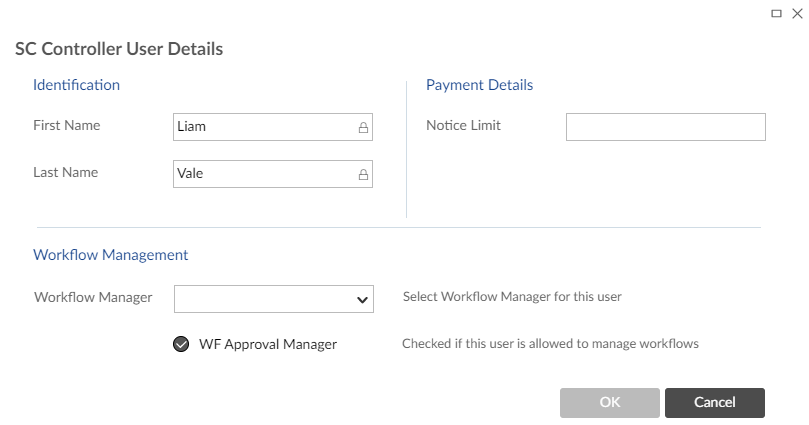
-
In this window you can select a workflow manager for the user from the drop-down menu, tick the box to allow the user to manage workflows and set the notice limit for the user. If the Notice Limit field is left blank or set to zero, the user will have no limit. If a limit is set for the user, then they must have a workflow manager.
The first and last name of the user are set when creating the user and are not editable here.
-
Click
 to save your changes.