This is a new topic in 12.03.
This is a new topic in 12.04.
Content highlighted in yellow is new in 12.03.
Content highlighted in blue is new in 12.04.
Notifications
There are two popup notifications that you can receive within the Time Collection module. These are triggered when a PDF has been created and when an earning category linked to active timesheet types or subtypes has been made dormant in COINS ERP+. You can toggle which of these notifications you would like to receive in Notification Preferences.
-
Click your username or avatar, then click the Notifications icon
 . This opens a list of the most recent notifications you have received across all POP Apps you have access to.
 -
Click the cog icon
 at the top-right of the Notifications list. This opens the Notification Preferences window.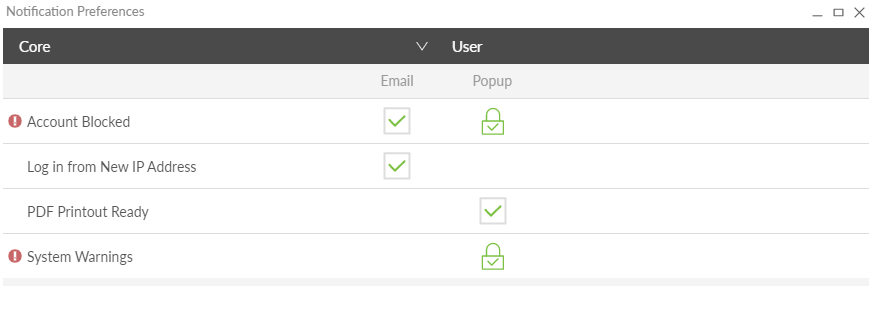
-
Click Core to open the drop-down menu and select Time Collection.

-
Tick/untick the boxes to enable/disable to notifications. Any changes you make are instantly saved.