This is a new topic in 12.03.
This is a new topic in 12.04.
Content highlighted in yellow is new in 12.03.
Content highlighted in blue is new in 12.04.
CCC keeps a record of when an item was created, each time it has changed status and who effected those changes. These records are called audit trails. They can be viewed via right-click > Audit Trail or left-click > menu icon  > Audit Trail.
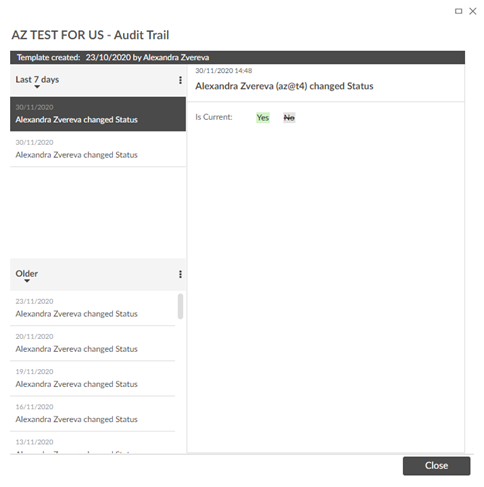
Click an entry in the grid to view the details of the change on the right side of the window. Audit trails opened within the Sites section of the Checklists module have a Synchronisation column, which displays the time at which the action was synchronised. This may be different to the actual time the action was taken (displayed above the action) if the user was offline at the time.

The following items have audit trails:
-
Checklist templates
-
Sections within a checklist template
-
Items within a checklist template
-
Plots
-
Sections within a plot
-
Items within a plot
-
Security groups