This is a new topic in 12.03.
This is a new topic in 12.04.
Content highlighted in yellow is new in 12.03.
Content highlighted in blue is new in 12.04.
Super Approvers
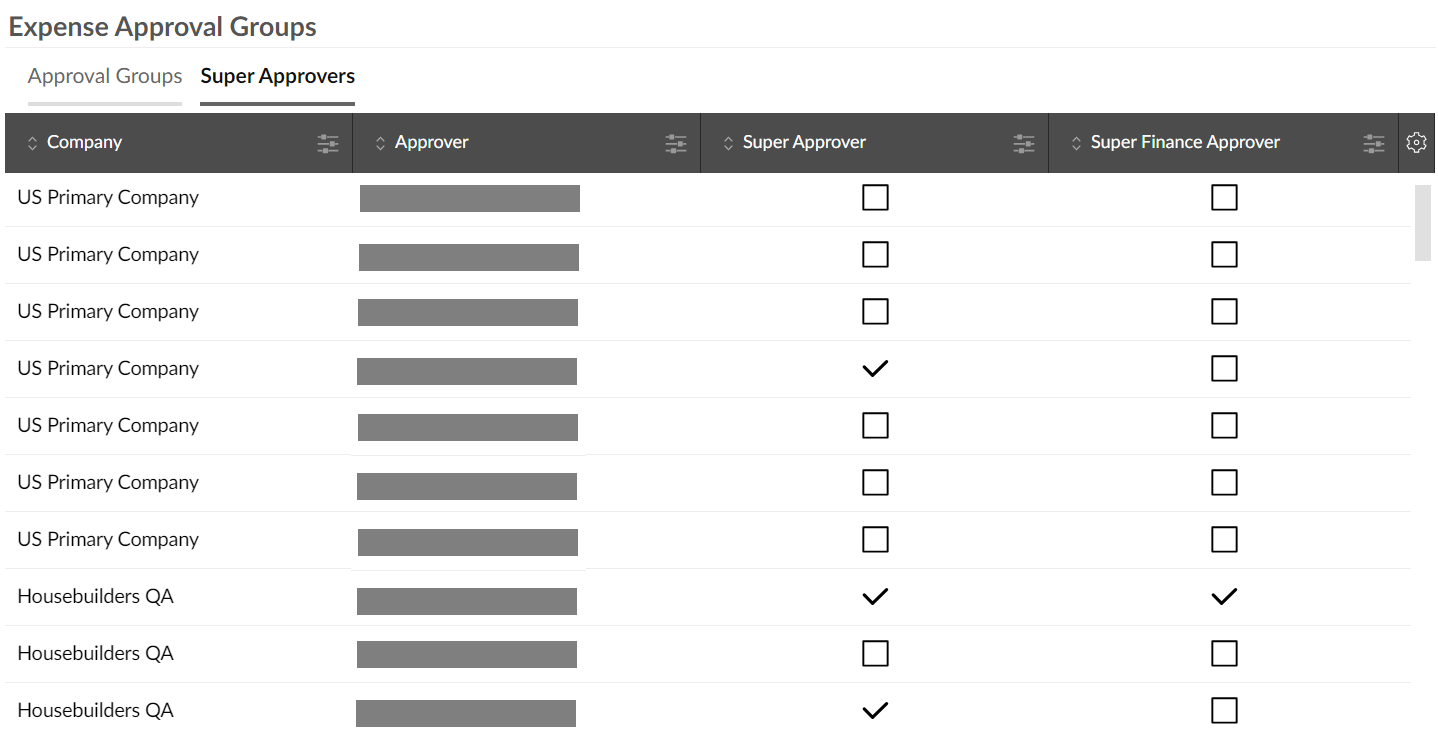
The Super Approvers tab contains a list of every user in your Expenses system with the Approver user role. Within the grid, you can tick the boxes to make each approver a super approver and/or a super finance approver.
Super approvers and super finance approvers have the ability to approve or reject every expense item and expense report in the “awaiting approval” or “awaiting finance approval” stages respectively, regardless of who the reports are currently assigned to in the approval process. This includes expense items awaiting project manager approval. Having super approvers and super finance approvers can help to ensure the timely approval of expense reports which may otherwise have become stuck in the workflow.